Compliance
Compliance inspection tracking for every building
Track every code-required inspection, who did it, the result and the certificate, then hand the report to the fire marshal, the surveyor or your insurer without building a binder by hand.

Sample data. Northfield University is a fictional university.
The problem
Inspection records scattered across binders and calendars
Fire extinguishers, fire alarms, sprinklers, backflow preventers, elevators, emergency generators and emergency lighting each have their own inspection schedule and their own authority. In most organizations the due dates live in someone's calendar, the certificates in a binder and the results in a vendor's email.
When a fire marshal, surveyor or insurer asks for the records on a building, pulling them together takes days: find the last inspection, find who did it, find the certificate, and hope nothing expired in the meantime.
Two clocks are easy to confuse. The inspection has a due date, and the certificate it produced has its own expiration. And a failed inspection needs to reach the right person right away, not at the next meeting.
How BuildingHelm handles it
Inspections as scheduled work, with the evidence attached
Compliance in BuildingHelm isn't a separate system. Code-required inspections are maintenance schedules with a few extra fields, so they use the same reminders, assignments and history as everything else.

Flag code-required schedules
Mark any schedule as required by code and record the authority and the certificate expiration. You decide which inspections apply to your buildings.
A result on every inspection
Each inspection is logged with its date, who did it (a technician or a contractor company) and a result of Pass, Fail or Needs follow-up, with notes and photos.
Certificates attached
Attach certificate files to the inspection log or the equipment record. Files are private and shown only through links that expire.
Failed inspections reach managers at once
When an inspection is logged as Fail, facilities managers are notified straight away. From there it can become a work order.
Overdue and due-soon reminders
A daily digest by email and in the app covers inspections coming due and overdue, using the same preventive maintenance schedules.
A compliance report in one click
Choose a building or a category and get every code-required schedule with its authority, frequency, last inspection date, result, who did it, next due date, certificate expiration and certificates.
Statuses from the dates
Each item is Overdue, Due soon (within 30 days) or Current, and certificates are flagged when expired or expiring within 60 days. Nothing is typed in by hand.
PDF and Excel
The PDF has a cover page with the organization, scope, date, summary and signature lines, then the register by building. The Excel file has Summary, Inspections and Certificates sheets.
An audit trail
Every create, change and archive is recorded with who, when and the values before and after. Nothing is hard-deleted.
How it works
From setup to a working routine
Step 1: Tag the inspections that matter
Open each piece of equipment and mark its inspection schedules as required by code, with the authority and certificate expiration.
Step 2: Assign them
Give each one to a technician or to a contractor company with the right license.
Step 3: Scan, then log the result
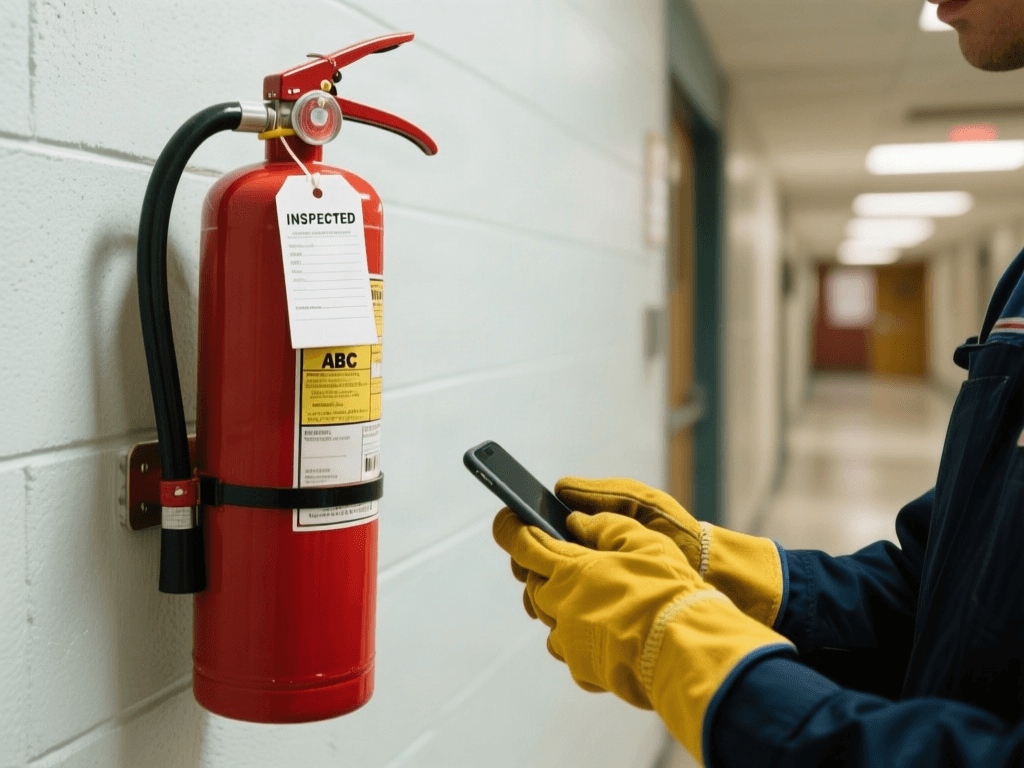
Scan the equipment's label and its due inspection opens. Choose Pass, Fail or Needs follow-up and attach the certificate.
Step 4: Watch the register
Use the Overdue and Due soon lists and the daily digest to stay ahead of the calendar.
Step 5: Run the report when asked
Export the PDF or Excel report for the building or category an inspector asks about.
The register sits on the same records that drive facility condition and capital planning. Book a demo to see a compliance report built from sample data.
Illustrative photo.
Who uses it
Built for the crew, and the people they report to
The facilities team
Facilities managers and safety staff tag requirements, watch the register and hand the report to inspectors, surveyors and insurers.
Technicians
Technicians complete in-house inspections on a phone, record the result and attach photos or certificates.
Contractors
Licensed vendors log inspection results and certificates for the equipment they service, and see only their assigned tasks.
Finance and leadership
Viewers and risk staff can read the register and reports without being able to change a record.
FAQ
Frequently asked questions
What is compliance inspection tracking?
Does BuildingHelm tell us which inspections the code requires?
What's in the compliance report?
How are failed inspections handled?
Is BuildingHelm SOC 2 certified?
Keep reading
Related pages
- Preventive maintenanceRecurring schedules, reminders and a clear list of what's overdue.Read more
- Contractor portalOne vendor login for every owner, with access limited to assigned work.Read more
- Healthcare and senior livingLife-safety and generator testing logs, urgent work first, and records ready when the surveyor asks.Read more
- K-12 school districtsFire, playground and boiler inspections, a small crew across many schools, and reports for the board.Read more
See your buildings in BuildingHelm.
We'll show you a site set up from sample building documents, walk through the day-to-day work, and talk about what setting up yours would take.
Already a customer? Create your account.