Contractors
Manage your contractor company and employees
Accept invitations from owners, invite your employees, and choose which owners each of them works for.
- Who it's for
- Contractor Admins
- Where
- On a computer0:57 video
Steps
Step 1: Start on your home screen.
Step 2: Click My company in the menu.
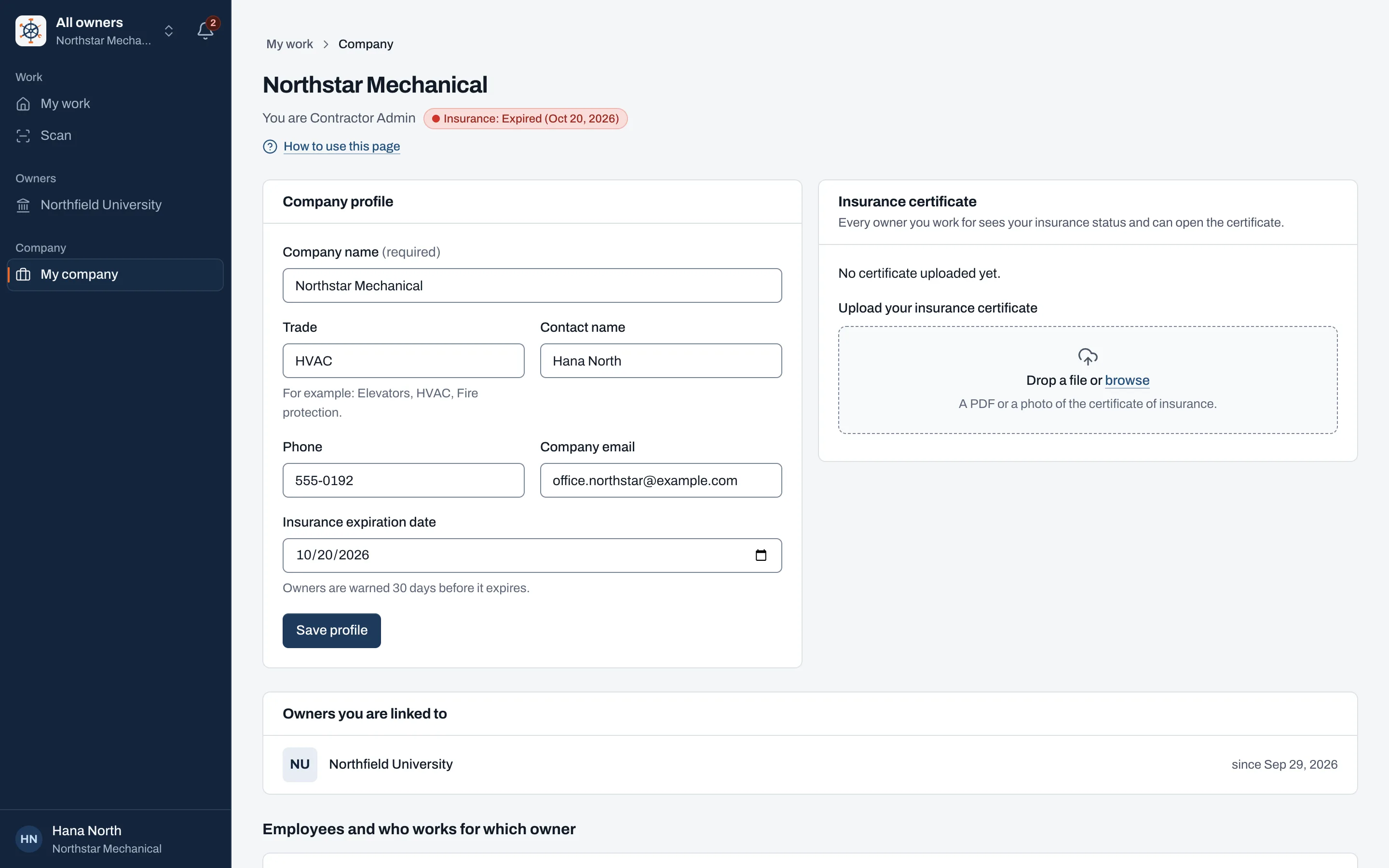
Step 3: Keep your insurance certificate up to date.
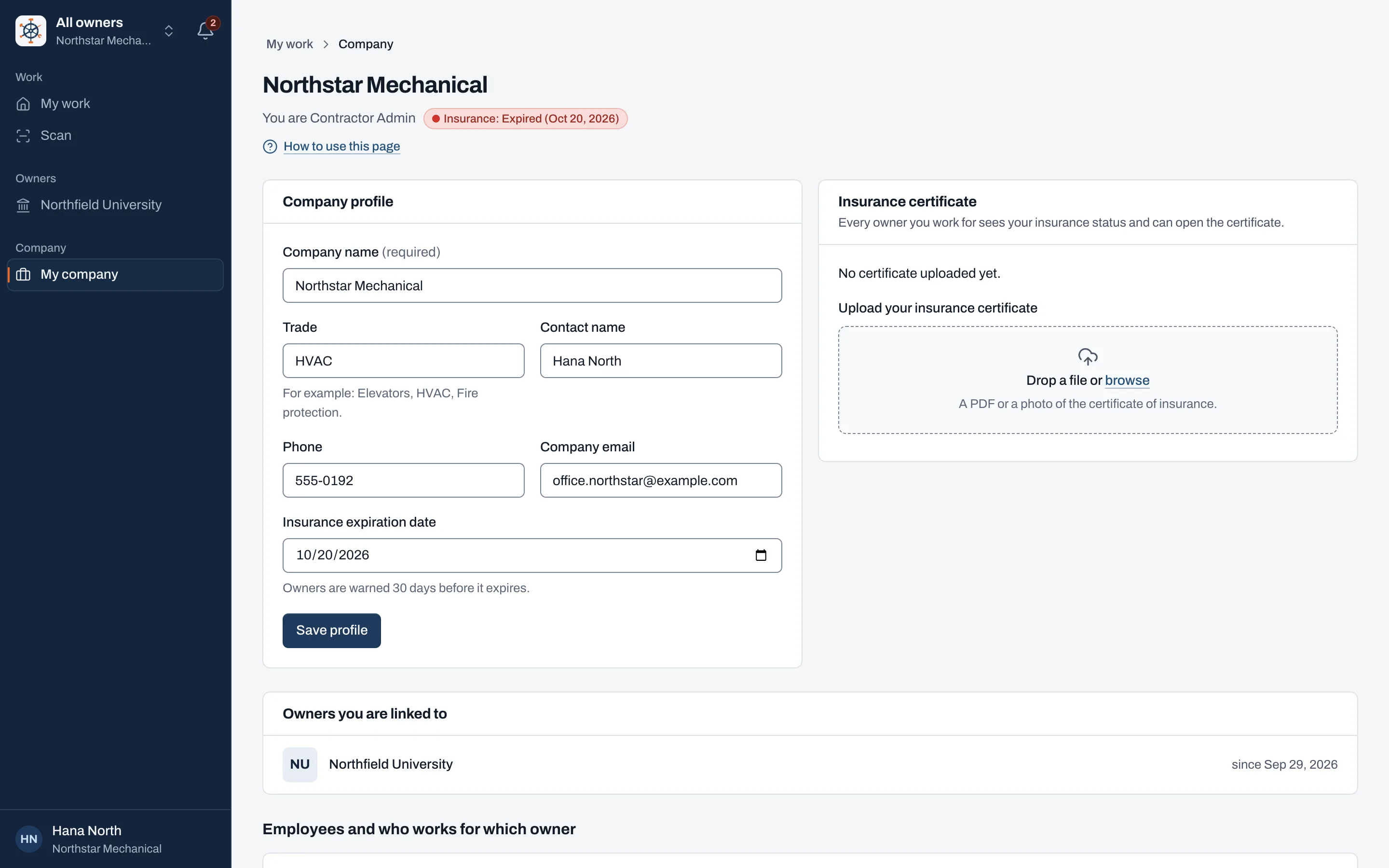
Step 4: Choose where replies to your emails go.
Step 5: See the owners you're linked to.
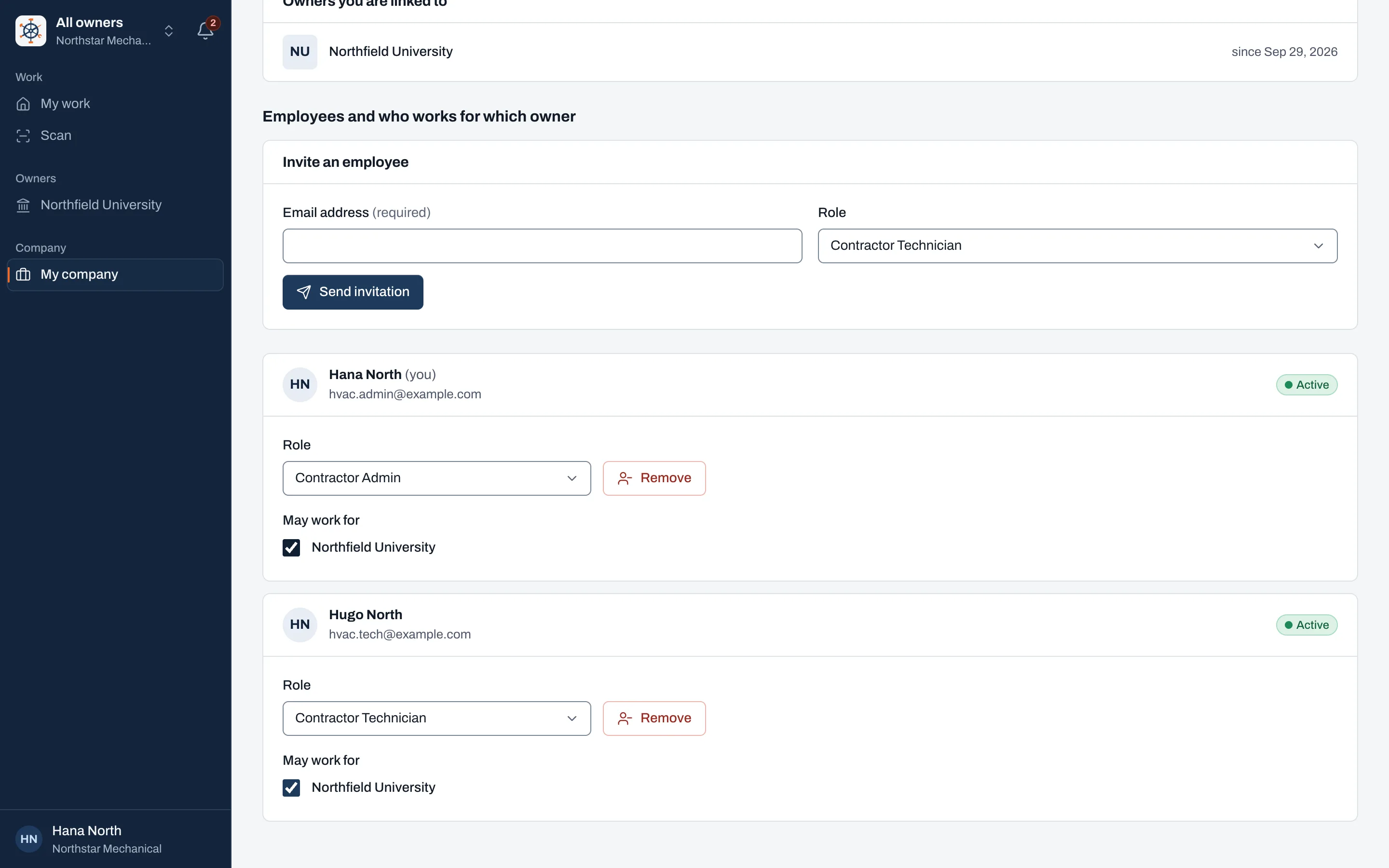
Step 6: Set each employee's role, and tick the owners they may work for.
Step 7: To add someone, enter their email and choose a role.
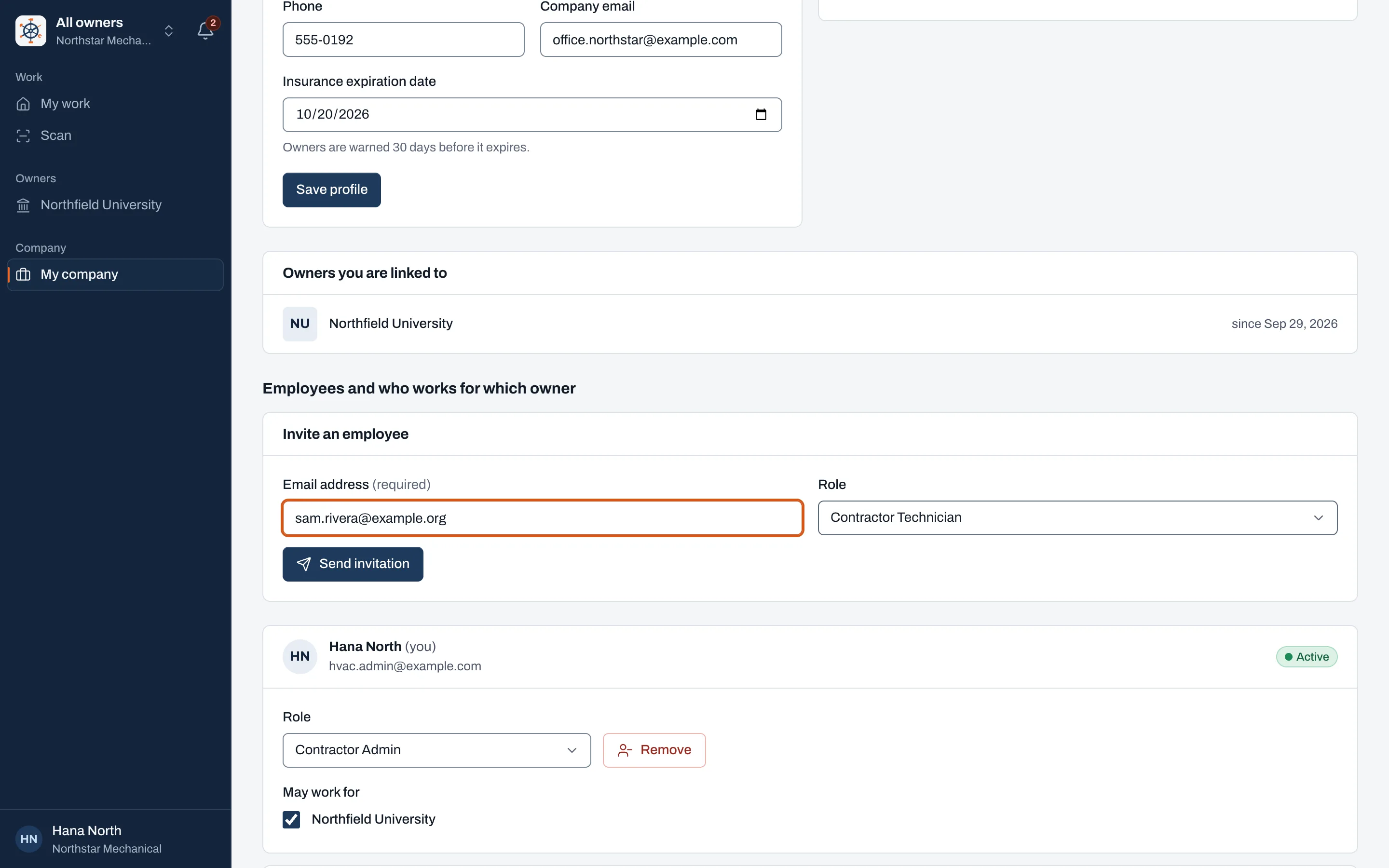
Step 8: Select Send invitation.
Transcript
Show the transcript
As a Contractor Admin, you run your company's account. When an owner invites your company, the invitation shows up on this screen, and you review and accept it here.
Open My company. This is your company profile. Every owner you work for sees the same name, trade and contact details.
Keep your insurance up to date. Owners see its status, and they're warned 30 days before it runs out. When you renew, upload the new certificate here.
Invoices, payment reminders, statements and invitations that Building Helm sends for you show your logo and come from your company name. Under Emails sent for you, choose a Reply-to email and confirm it from that inbox, and replies go there. Until you do, replies go to the email on your company profile.
Here are the owners your company works for, and since when.
Each employee has a role: Contractor Admins manage the company, and Contractor Technicians do the work. Tick the owners each person may work for. They only see work from those owners.
To add someone, enter their work email and choose their role.
Then select Send invitation. They get an email, and they join your company when they sign in with that address and accept.