Insights
FCI and the deferred maintenance backlog
Add deferred work to the backlog and read each building's Facility Condition Index, rated Good, Fair or Poor.
- Who it's for
- Owner AdminsFacilities ManagersViewers
- Where
- On a computer1:28 video
Steps
Step 1: In Capital planning, click the FCI tab.
Step 2: Read the site FCI and its rating.
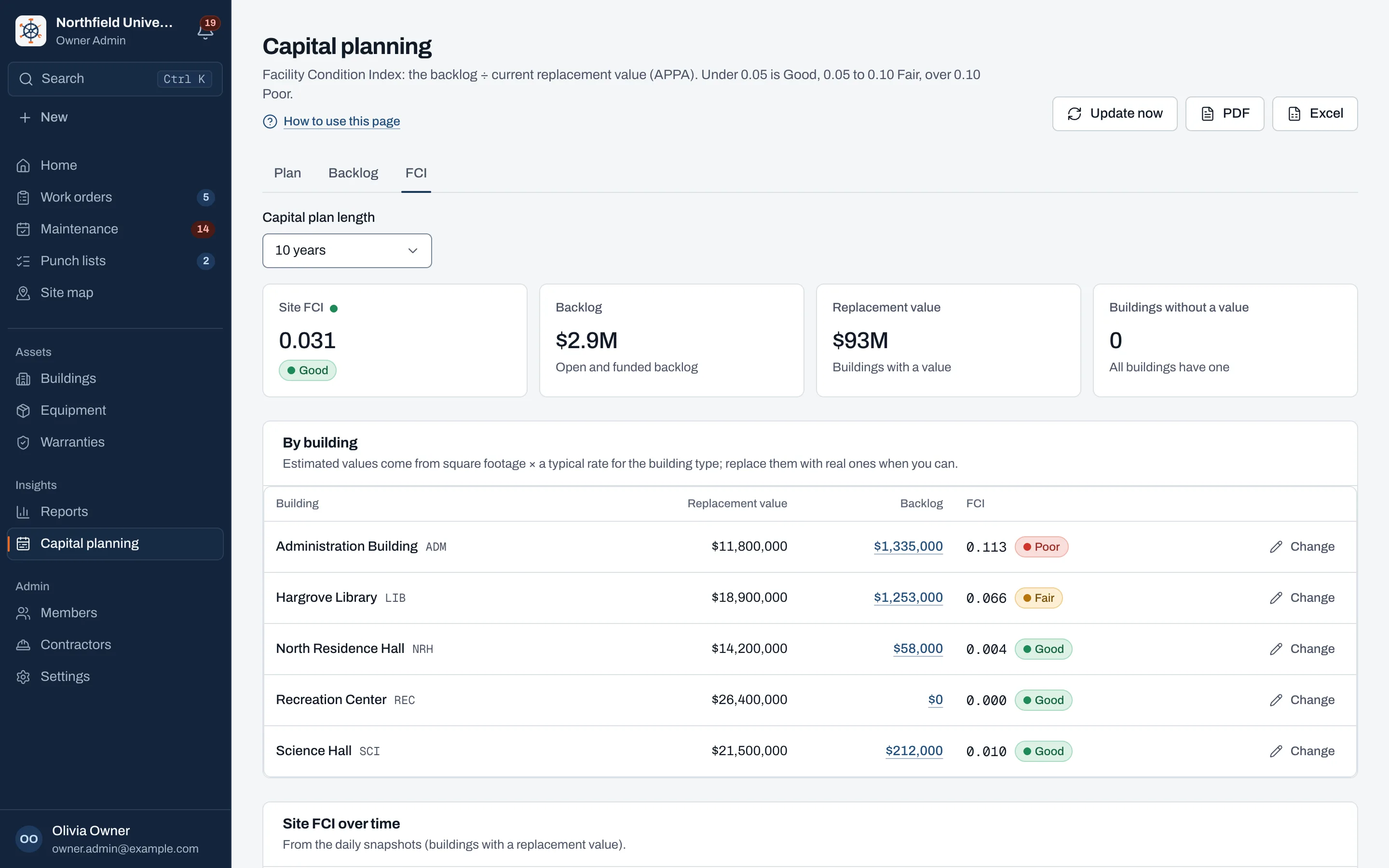
Step 3: Compare buildings in the By building table.
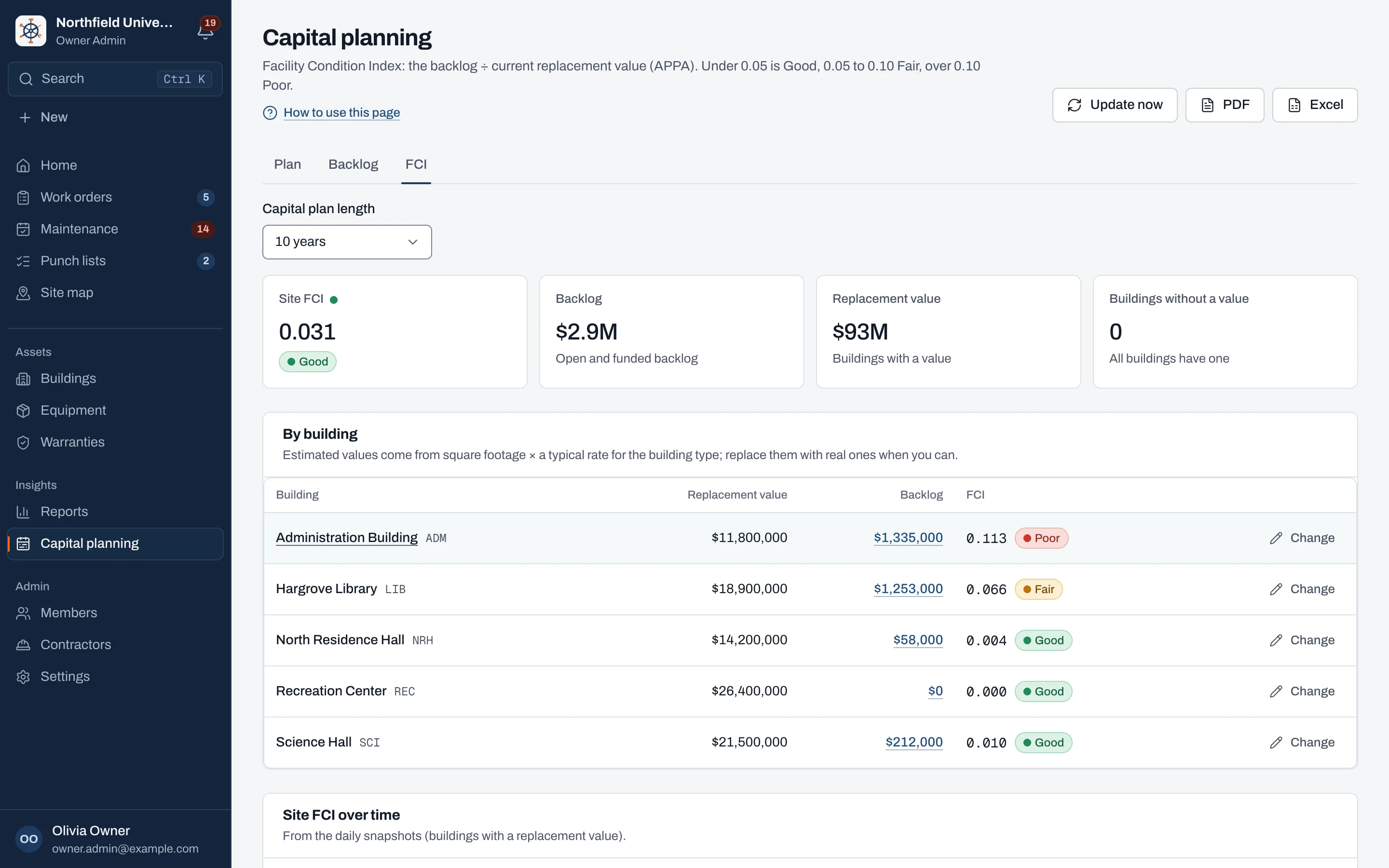
Step 4: Follow the site FCI over time.
Step 5: Click the Backlog tab.
Step 6: Filter by priority, building or status.
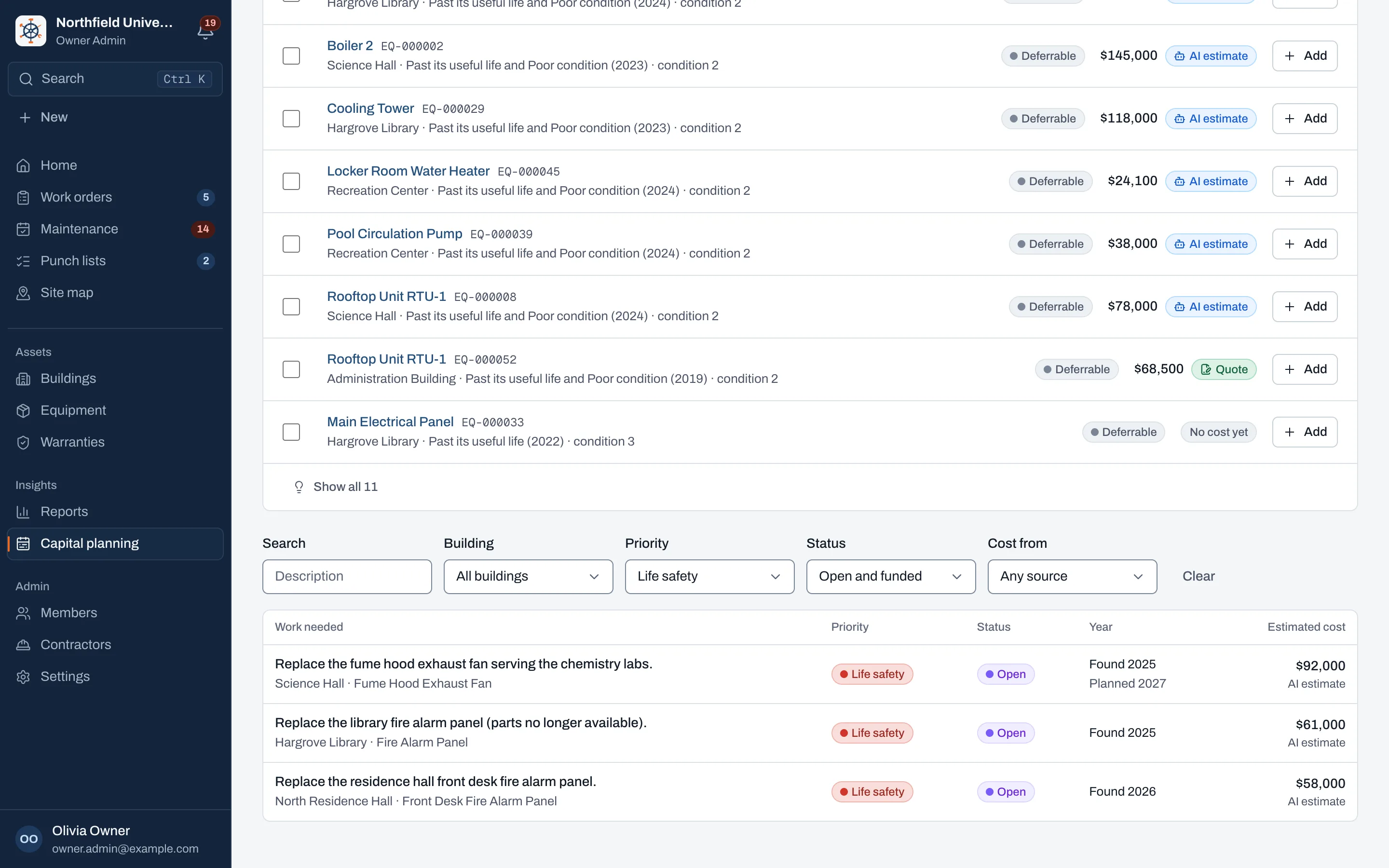
Step 7: Click Add item.
Step 8: Say what needs doing, where, the cost and the priority.
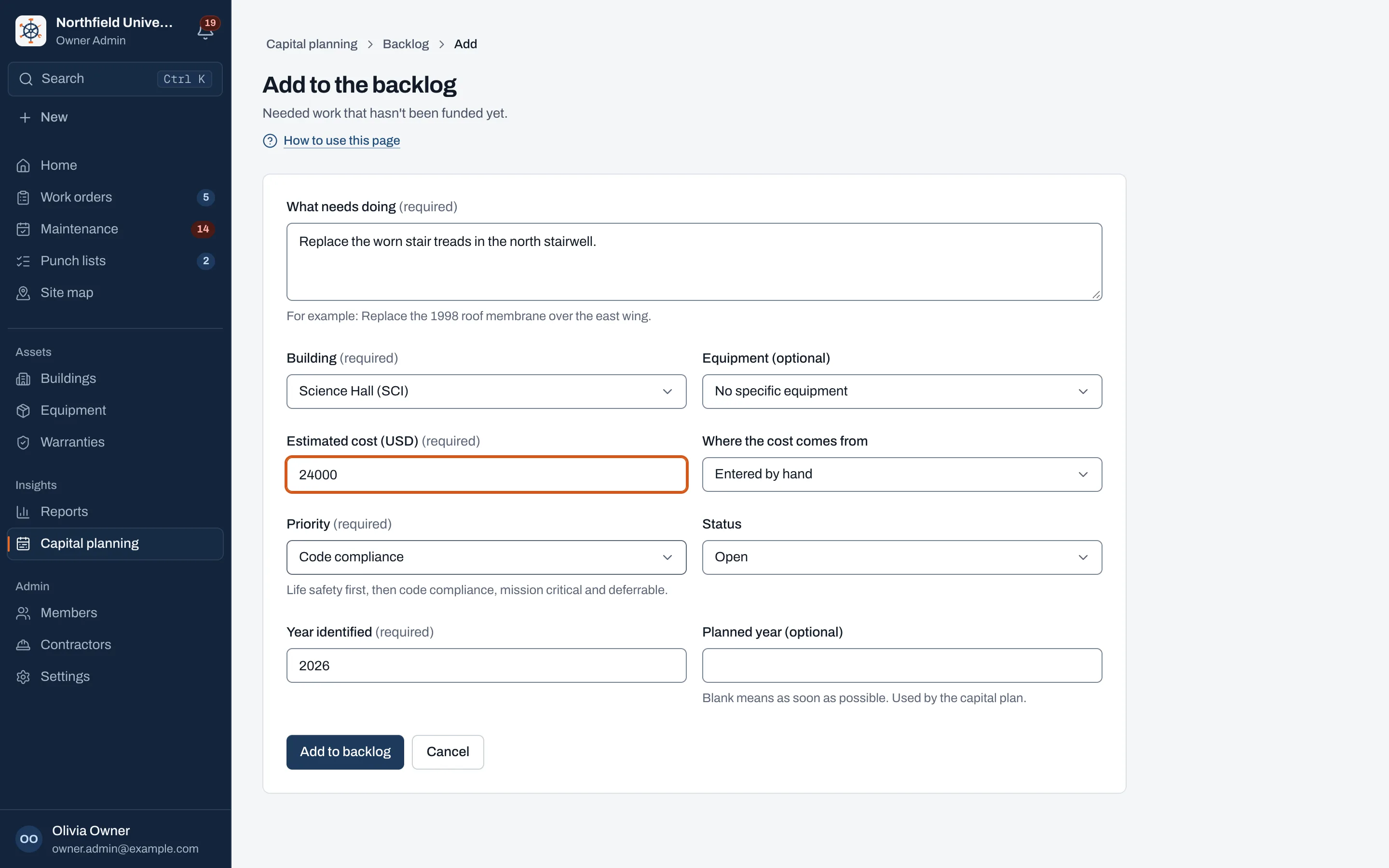
Step 9: Click Add to backlog.
Transcript
Show the transcript
The FCI tab answers a simple question: what shape are your buildings in? Open Capital planning, then click FCI.
FCI, the Facility Condition Index, divides the repair work you've put off by what it would cost to rebuild the building. The lower the number, the better. Under 0.05 is Good, 0.05 to 0.10 is Fair, and over 0.10 is Poor.
The table rates each building, so you can see where money is needed most. Here the Administration Building rates Poor, mostly because of its old windows and roof.
Building Helm records the FCI every day. The trend shows whether your backlog is growing faster than you're fixing it.
The FCI comes from your backlog: needed work that hasn't been paid for yet. Click Backlog to see it, most urgent first.
Filter by building, priority or status. Life safety comes first, then code compliance, mission critical and deferrable.
To add work you've had to put off, click Add item. You can also send a work order or punch item here with Add to backlog.
Say what needs doing and which building it's in. Add the estimated cost and choose a priority.
Click Add to backlog. The item counts toward the building's FCI straight away, and its planned year feeds the capital plan.