Insights
Reports and the compliance report
Read the work and maintenance reports, and export the compliance report of inspections and certificates to PDF or Excel.
- Who it's for
- Owner AdminsFacilities ManagersConstruction Quality Control ManagersMaintenance TechniciansViewers
- Where
- On a computer1:12 video
Steps
Step 1: Open Reports from the menu on the left.
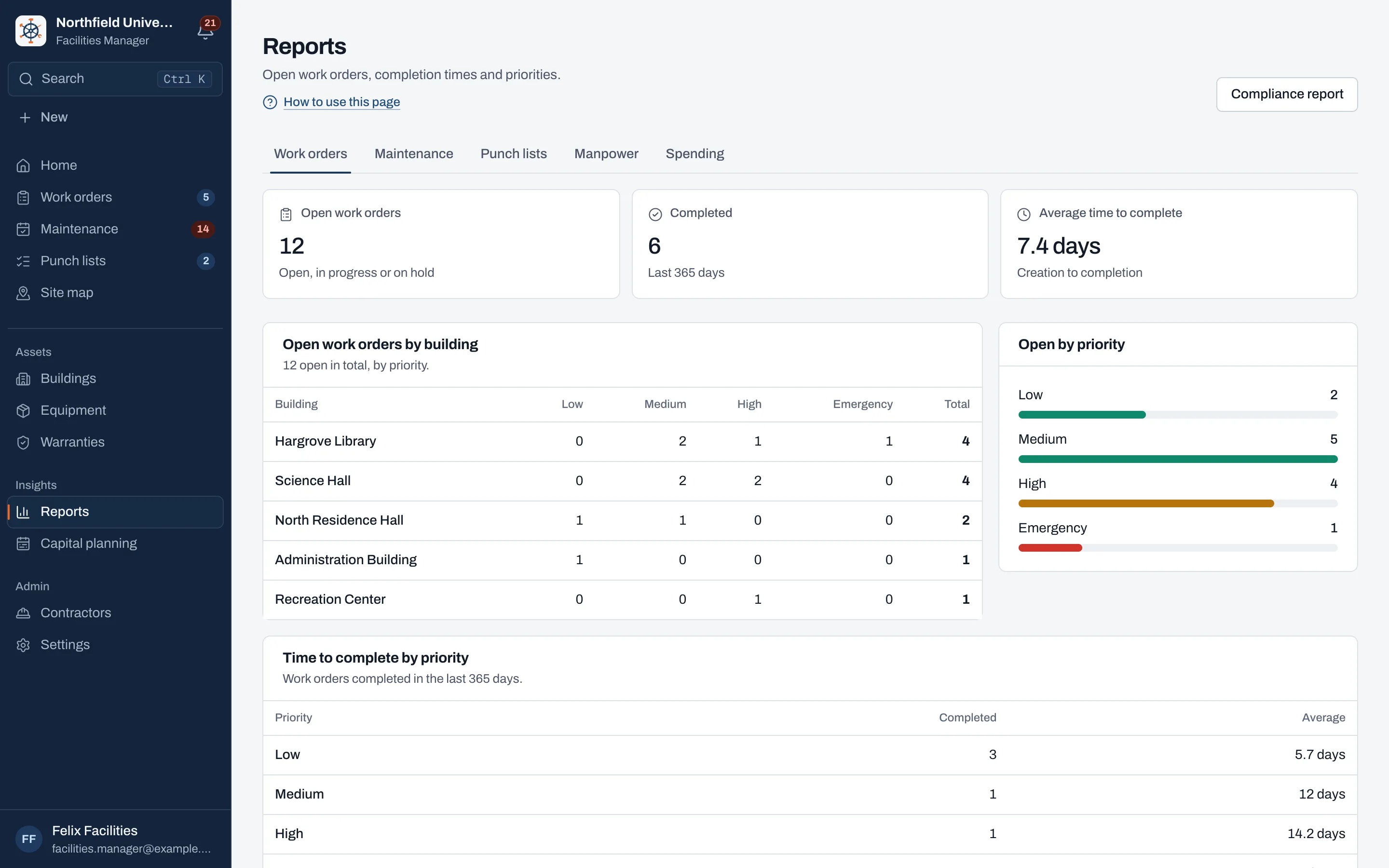
Step 2: Read the Work orders tab.
Step 3: Click Downtime to see hours out of service.
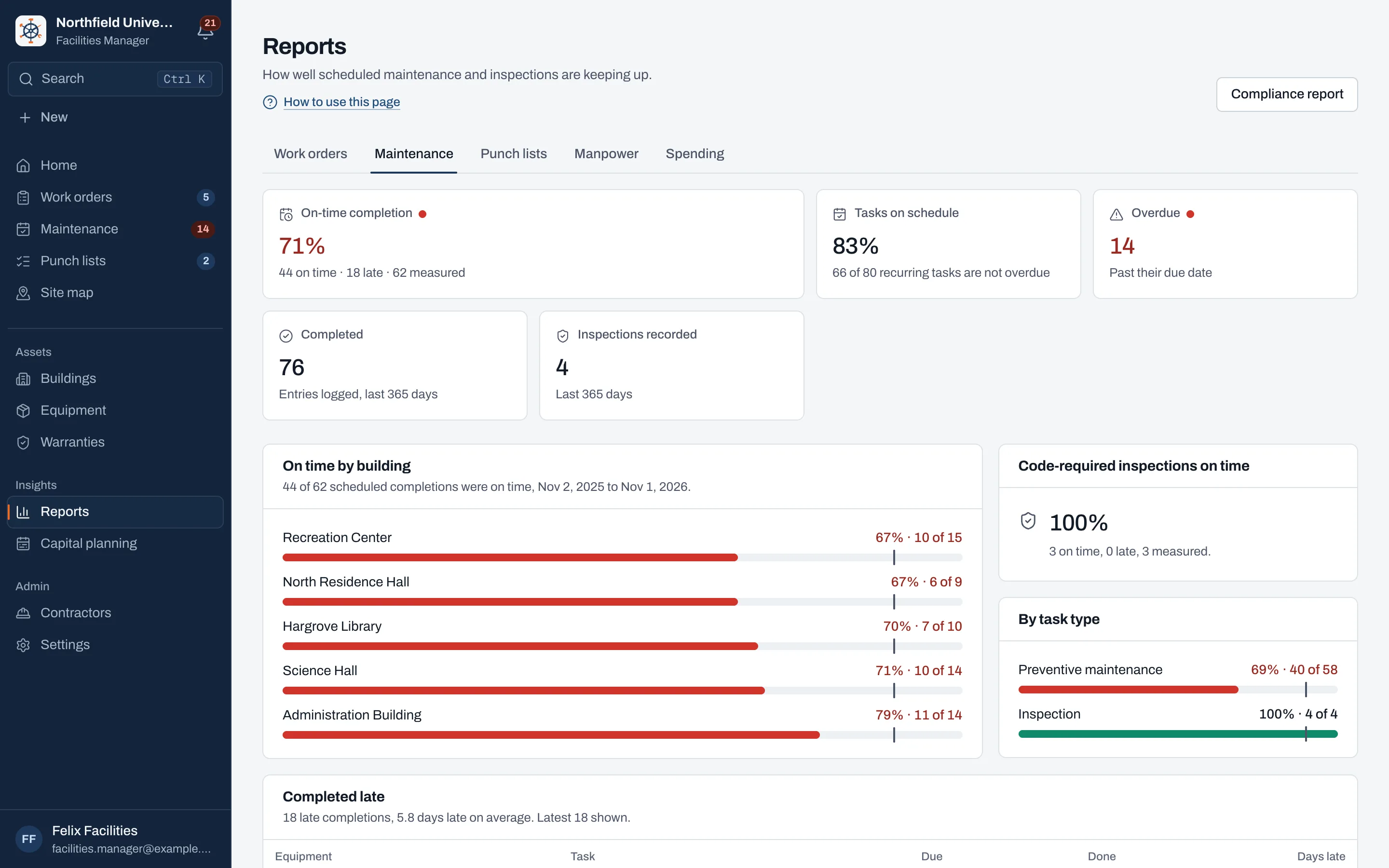
Step 4: Click the Maintenance tab.
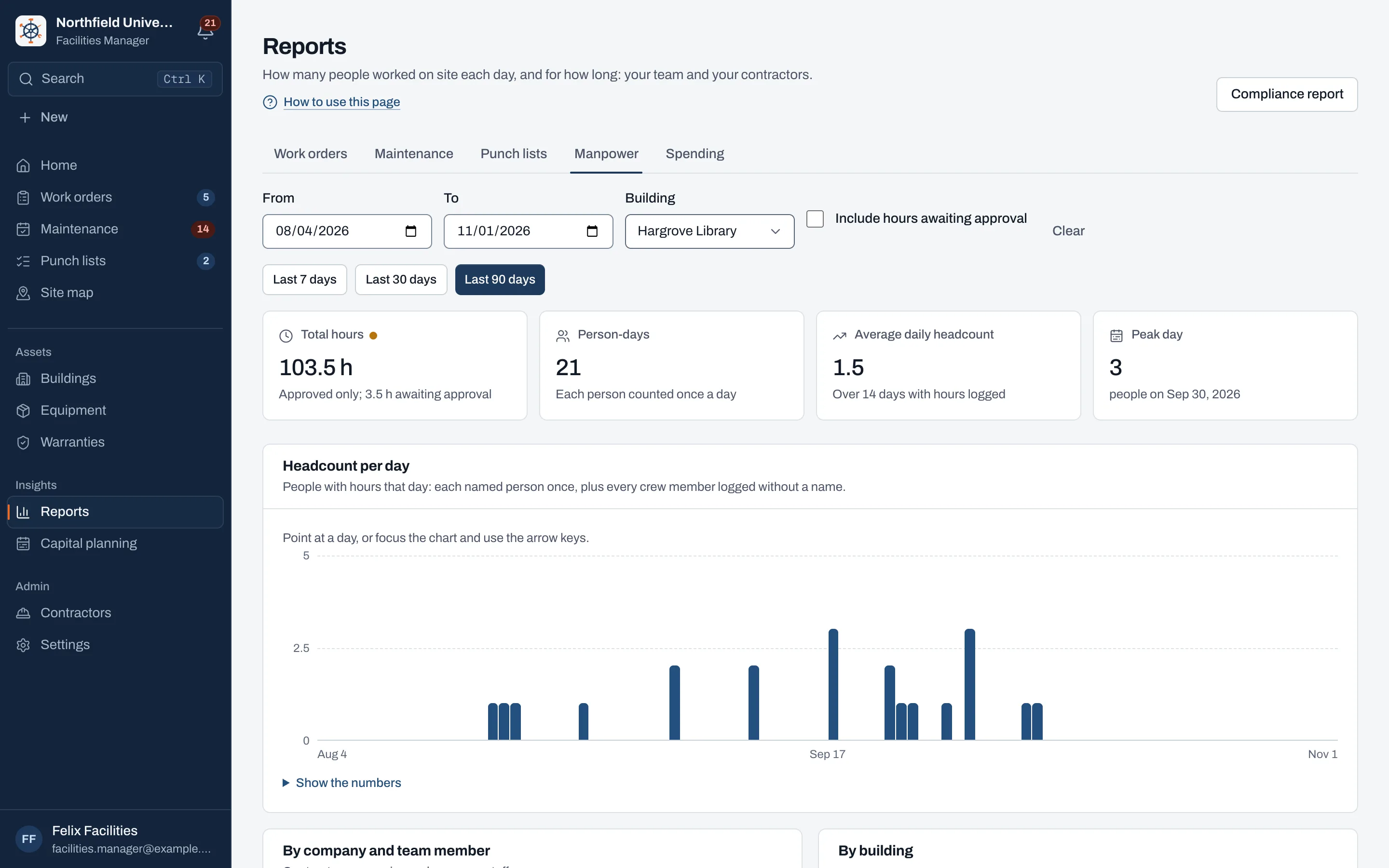
Step 5: Click Manpower to see who worked on site.
Step 6: Pick a date range and a building.
Step 7: Click Compliance report.
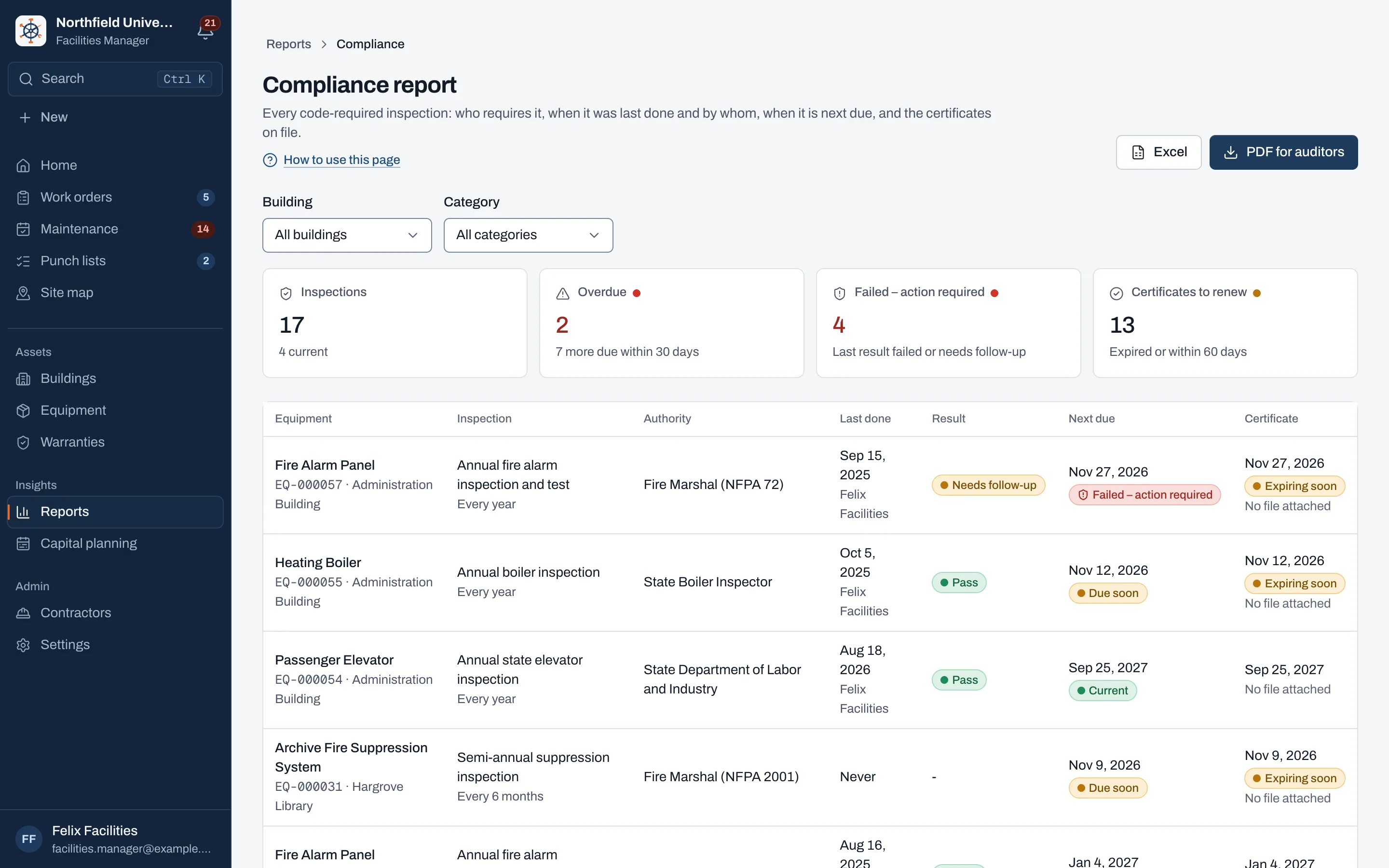
Step 8: Filter by building or equipment category.
Step 9: Download it with PDF for auditors or Excel.
Transcript
Show the transcript
Reports show how well your team is keeping up. Open Reports from the menu on the left, under Insights.
The first tab covers work orders: how many are open, how many were finished, and how long they take. The table splits open work by building and priority, so you can see where it piles up.
The Downtime tab adds up the hours your equipment was out of service, split into Planned and Unplanned, and Down now counts what is broken at this moment. Tables show the hours by building and by equipment, and you can pick a date range or a building. Export CSV downloads the same numbers.
The Maintenance tab shows whether scheduled maintenance and inspections are on time, with overdue tasks by building and recent inspection results.
Manpower shows how many people worked on site each day, and for how long: your own team and your contractors.
Pick a quick range, or your own dates, and narrow it to one building. Filters apply straight away and stay in the address, so you can share the link.
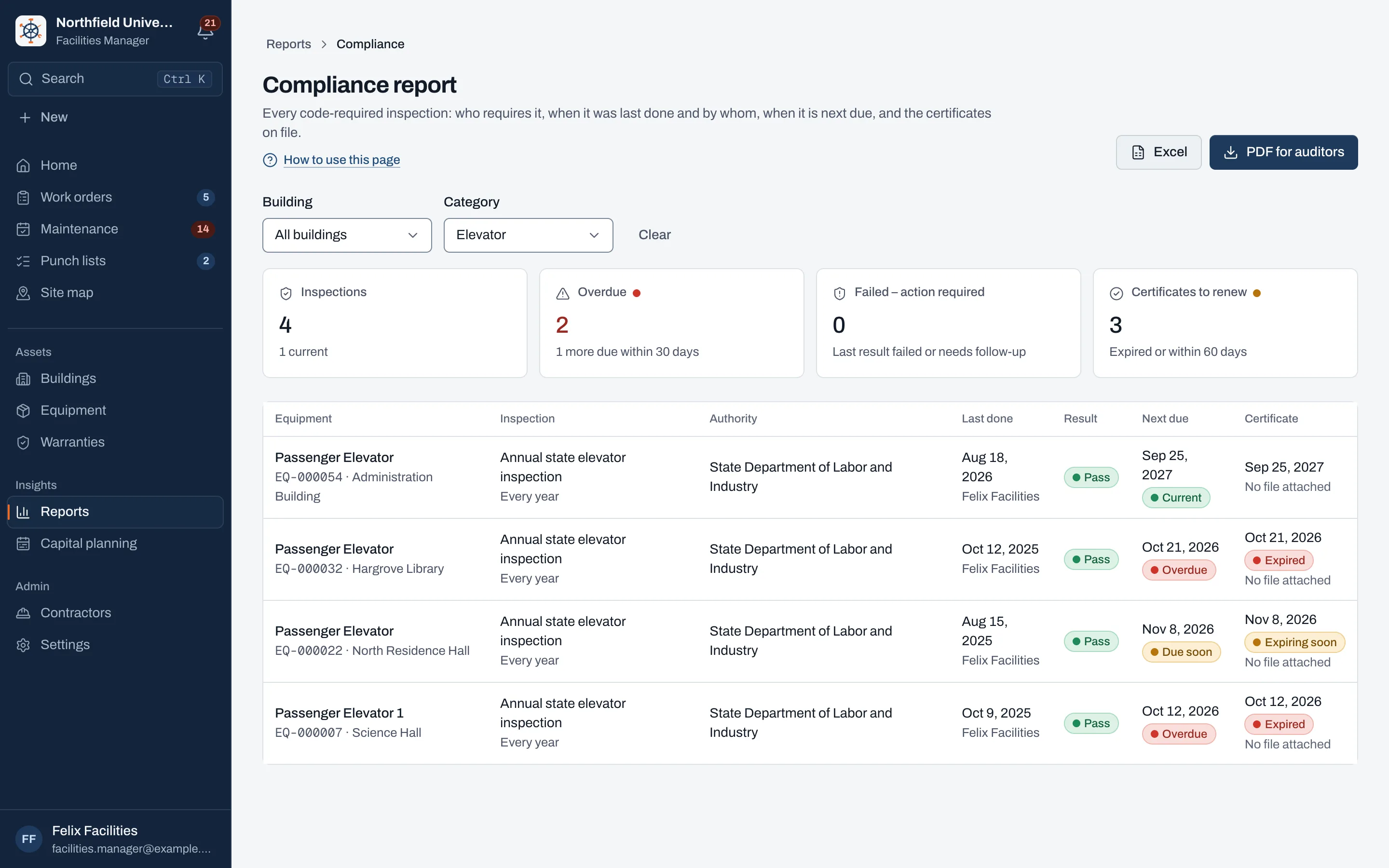
For inspections the law requires, open the Compliance report. Each row says who requires it, when it was last done and by whom, when it's next due, and the certificate on file.
Getting ready for one inspector? Filter by building or category. The tiles at the top count what's overdue, what failed, and certificates to renew.
When an auditor asks, click PDF for auditors to download the register with your filters applied. Excel gives you the same list as a spreadsheet.