Punch lists and assessments
Create a punch list and capture items
Start a list for a walk-through and capture each item on your phone with a photo, the room and a priority.
- Who it's for
- Owner AdminsFacilities ManagersConstruction Quality Control ManagersMaintenance Technicians
- Where
- On a phone1:16 video
Steps
Step 1: Tap Punch lists in the bar at the bottom.
Step 2: Tap New list.
Step 3: Name the list, choose the building and set a due date.
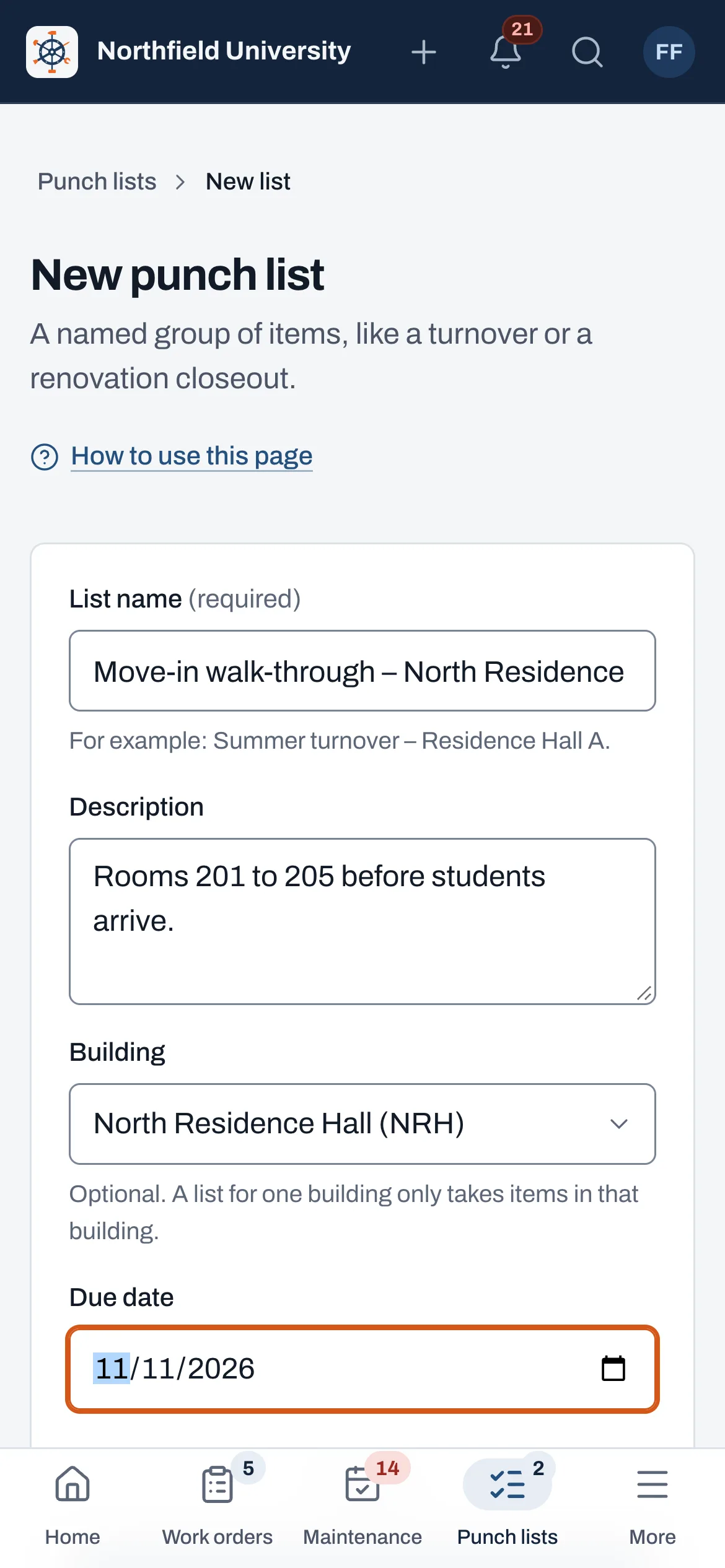
Step 4: Tap Create list.
Step 5: Tap Punch item to capture the first problem.
Step 6: Tap Take a photo.
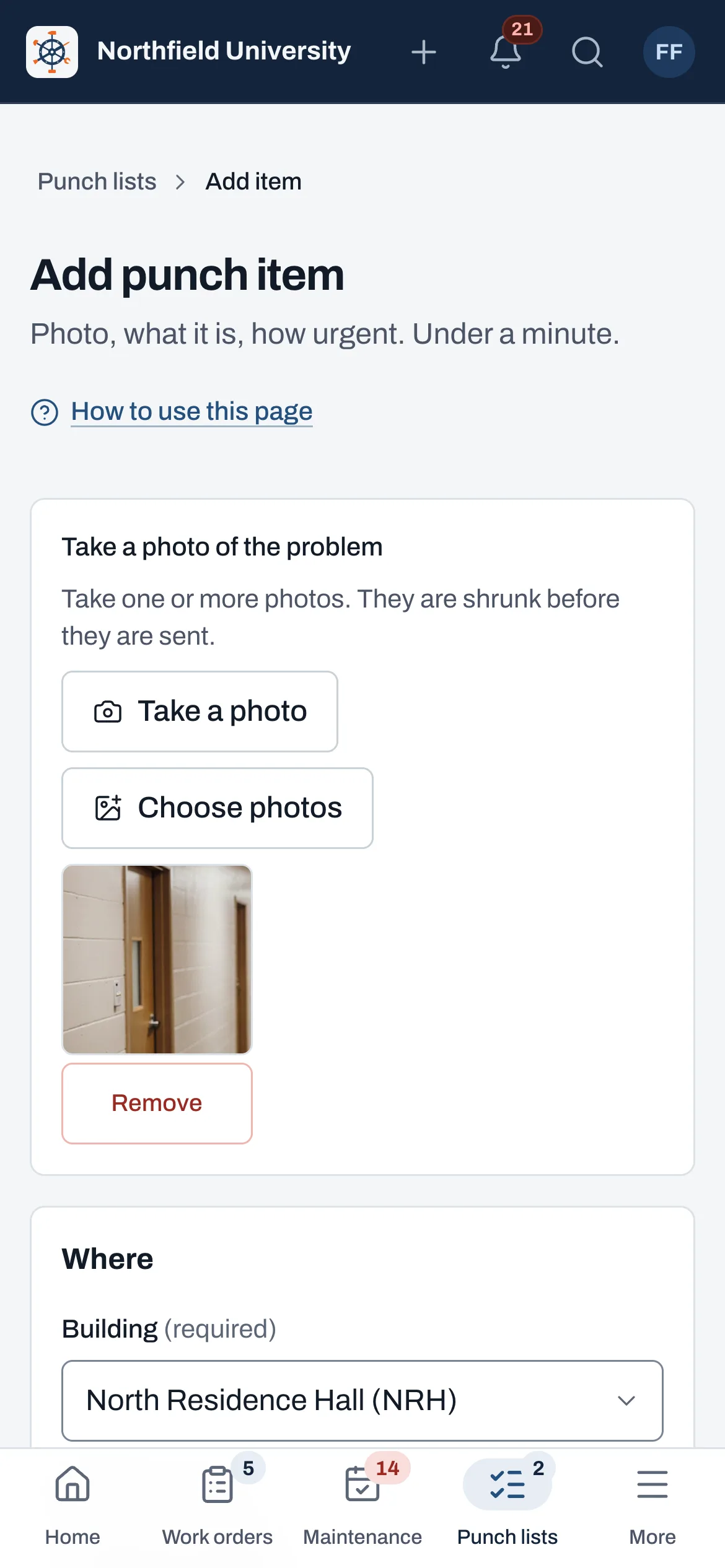
Step 7: Choose the floor and room, a scope, what needs doing and the priority.
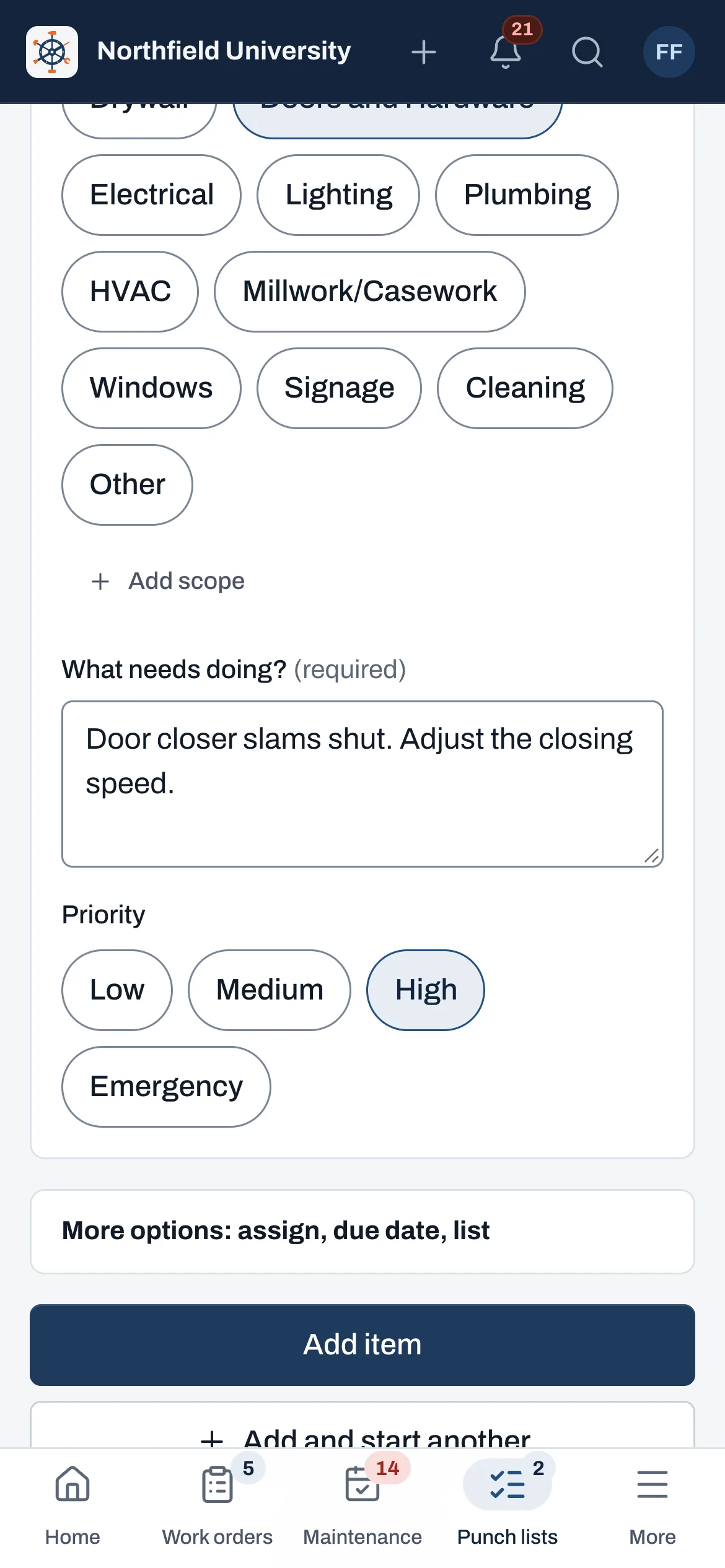
Step 8: Tap Add and start another.
Step 9: If it's about a piece of equipment, choose it under Equipment. Otherwise leave N/A.
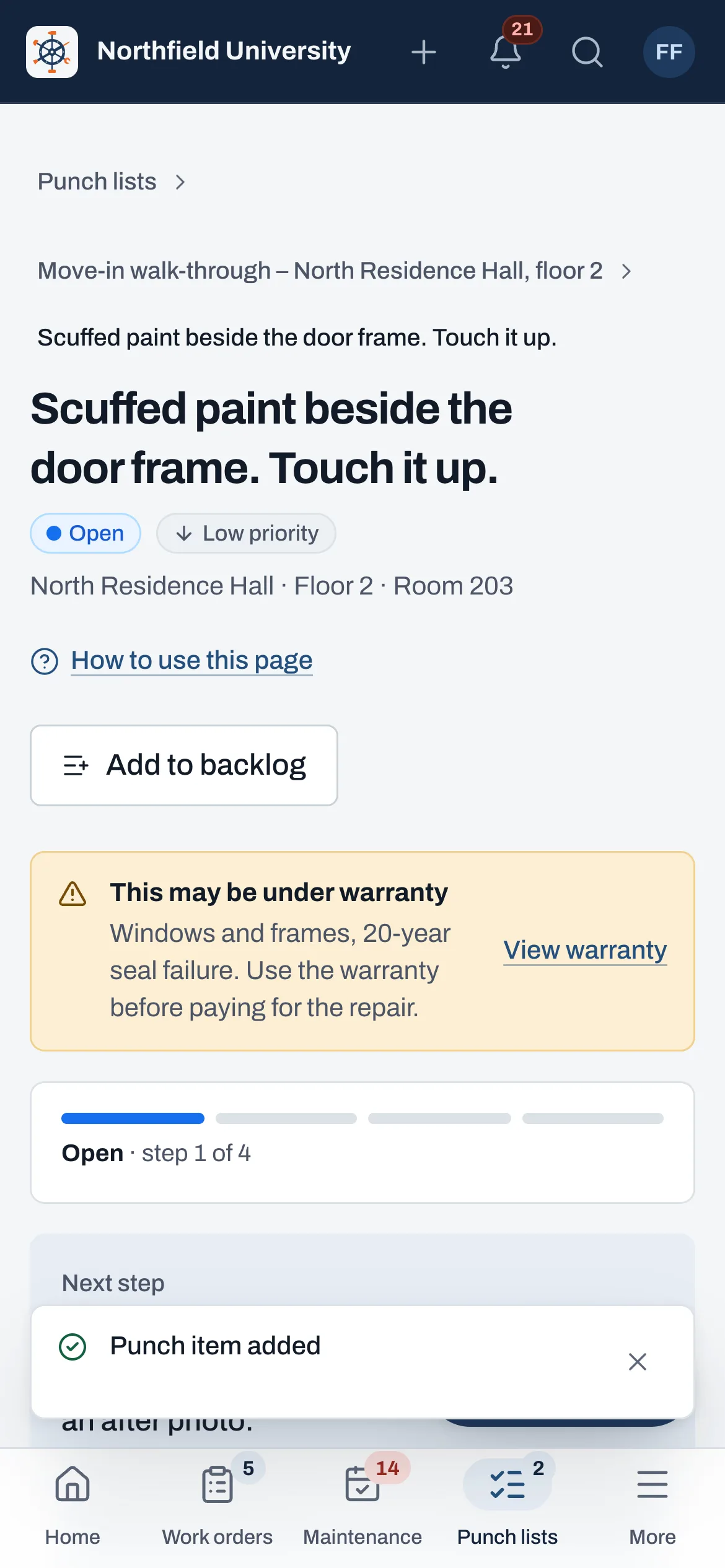
Step 10: For the last item, tap Add item.
Transcript
Show the transcript
Punch lists collect the small things to fix after a turnover or a renovation. Tap Punch lists at the bottom of the screen.
Start a list before your walk-through, so every item lands in one place. Tap New list.
Give it a name, and pick the building if the list is for one building only. A due date shows everyone when it has to be finished.
Tap Create list. The new list is empty and ready for items.
Now walk the rooms. Tap Punch item for the first problem you find. The building is already filled in from the list.
Start with a photo. Tap Take a photo and your camera opens. A picture shows exactly what's wrong, better than any description.
Choose the floor and the room, tap a scope, and write one line about the fix. Then set how urgent it is.
Tap Add and start another. The item is saved, and the form stays on the same floor and room, ready for the next one.
Is the problem with a piece of equipment? Choose it under Equipment: the equipment in the room comes first, then the rest of the building. If it isn't about equipment, leave it at N A.
For the last item, tap Add item instead. It opens on its own page, with a link to the dryer, where you can assign it to a technician or a contractor. For a vendor, its Vendor work box offers Request pricing, Assign now or Under contract.